
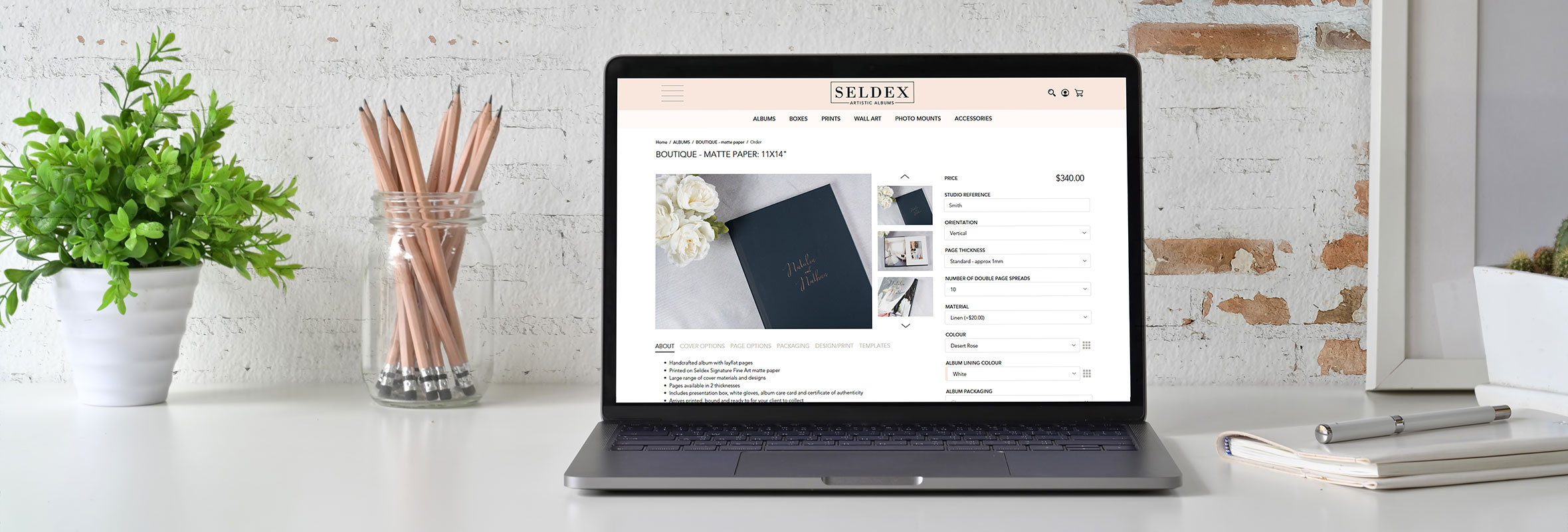
How to Order
All Seldex products are ordered online through our website. It’s quick and easy – simply log in, choose your product and follow the online order form.
1. LOG IN OR REGISTER
Seldex supplies professional photographers.
If you’re new to Seldex, register for an account through our website. Once your account has been approved, you can log in to view pricing and place orders online.
All prices are displayed in Australian dollars.
For international customers, you can select your preferred currency in your account settings. You’ll still see the Australian price, along with an approximate converted price based on the current exchange rate. All orders are charged in Australian dollars.
2. CHOOSE YOUR PRODUCT
Browse our product range and select the product you’d like to order.
Each product page includes information about available sizes, materials, colours, finishes and options, together with the online order form.
Look out for the small information icons throughout the order form. Click these to view images and additional information about options such as cover materials and foil colours.
You can also click the heart icon on a product page to save a product to your Favourites, making it easy to find again later.
3. COMPLETE YOUR ONLINE ORDER
Work through the online order form and select the options required for your product.
The product price will update as you make your selections, and you can add any special instructions in the Comments section before adding the product to your cart.
Designing an album in SDS? Your process is slightly different. Design and have your album approved first, then place your Seldex order. See the SDS instructions below.
4. DESIGN & PREPARE YOUR FILES WITH SDS
Seldex Design Solution (SDS) is our FREE online design software, created specifically to make designing albums and preparing files for Seldex faster and easier.
With SDS you can:
- Design complete albums
- Let Auto Design create your album layout
- Choose from professionally designed album templates and customise them to suit
- Start with a blank album and create every layout completely from scratch
- Share album proofs with your clients for approval
- Make revisions before submitting the final design
- Crop and prepare images to the correct Seldex product size
- Create wall art, mounts and print layouts
- Export print-ready files prepared for Seldex production
VISIT SELDEX DESIGN SOLUTION (SDS)
DESIGNING AN ALBUM IN SDS
You can design your entire album in SDS before placing your order with Seldex.
Create your album using Auto Design, one of our professionally designed templates, or start from scratch for complete creative control. Every layout can be customised, giving you the flexibility to create an album that suits your photography and your client.
Once your design is ready, share the album proof with your client for approval and make any required revisions within SDS.
When your client has approved the final album design:
- Place your album order on the Seldex website, selecting the album size, cover, paper, number of spreads and any other options required.
- Once your order has been submitted, you’ll receive your Seldex order number.
- Return to SDS and open your approved album design.
- Export your finished album and enter your Seldex order number when prompted.
- Your finished files will then be linked to your Seldex order ready for production.
Design in SDS → Client Approval → Order Online → Return to SDS → Export using your Seldex Order Number
USING SDS TO CROP OR PREPARE FILES
SDS isn’t just for albums. You can also use it to crop, size and prepare your images for a range of Seldex products.
For these products, place your order on the Seldex website and make a note of your Seldex order number.
Then open SDS, select the appropriate Seldex product and size, add your image and position or crop it exactly as you’d like it printed.
Once your files are ready, export them from SDS and enter your Seldex order number when prompted so we can match the files to your online order.
Order Online → Prepare & Crop in SDS → Export using your Seldex Order Number
5. NOT USING SDS?
No problem. You can still prepare and upload your own print-ready files.
Once your product has been added to your shopping cart, you’ll be prompted to upload any image files required for your order.
Please ensure your files have been correctly prepared according to the specifications shown on the relevant product page or in our File Preparation information. Before submitting your order, always check that your files are the correct size and that you’ve supplied the correct number of files.
Some Seldex products require one of our downloadable Photoshop templates to prepare the artwork correctly, including selected boxes and other specialty products.
Where a Photoshop template is required, you’ll find it on the relevant product page together with instructions explaining how to prepare your artwork.
6. REVIEW YOUR ORDER
Before checking out, take a moment to double-check:
- Product and size
- Cover, frame or material selections
- Paper and finish
- Number of album spreads, where applicable
- Quantity
- File requirements
- Delivery details
- Any special instructions
You can edit or remove products from your shopping cart at any time before submitting your order.
7. CHECKOUT & ORDER CONFIRMATION
Complete the checkout process and submit your order.
If you have a discount or Studio Sample coupon code, enter it during checkout.
Please note: Only one coupon code can be applied to each order. If you need to use two different coupon codes, place two separate orders and contact us if you’d like them shipped together.
Once your order has been submitted, you’ll receive an order confirmation from Seldex.
Production times vary depending on the product, so please check the individual product page for the most up-to-date production timeframe.
If you need an order by a particular date, add the date to the Comments section when placing your order. While we can’t always guarantee requested dates, our team will do our best to assist.
NEED A HAND?
We’re here to help.
If you have any questions about placing an order, preparing your files or using SDS, contact our team via online chat, email or call us on +61 3 9387 1530.