
Seldex Design Solution
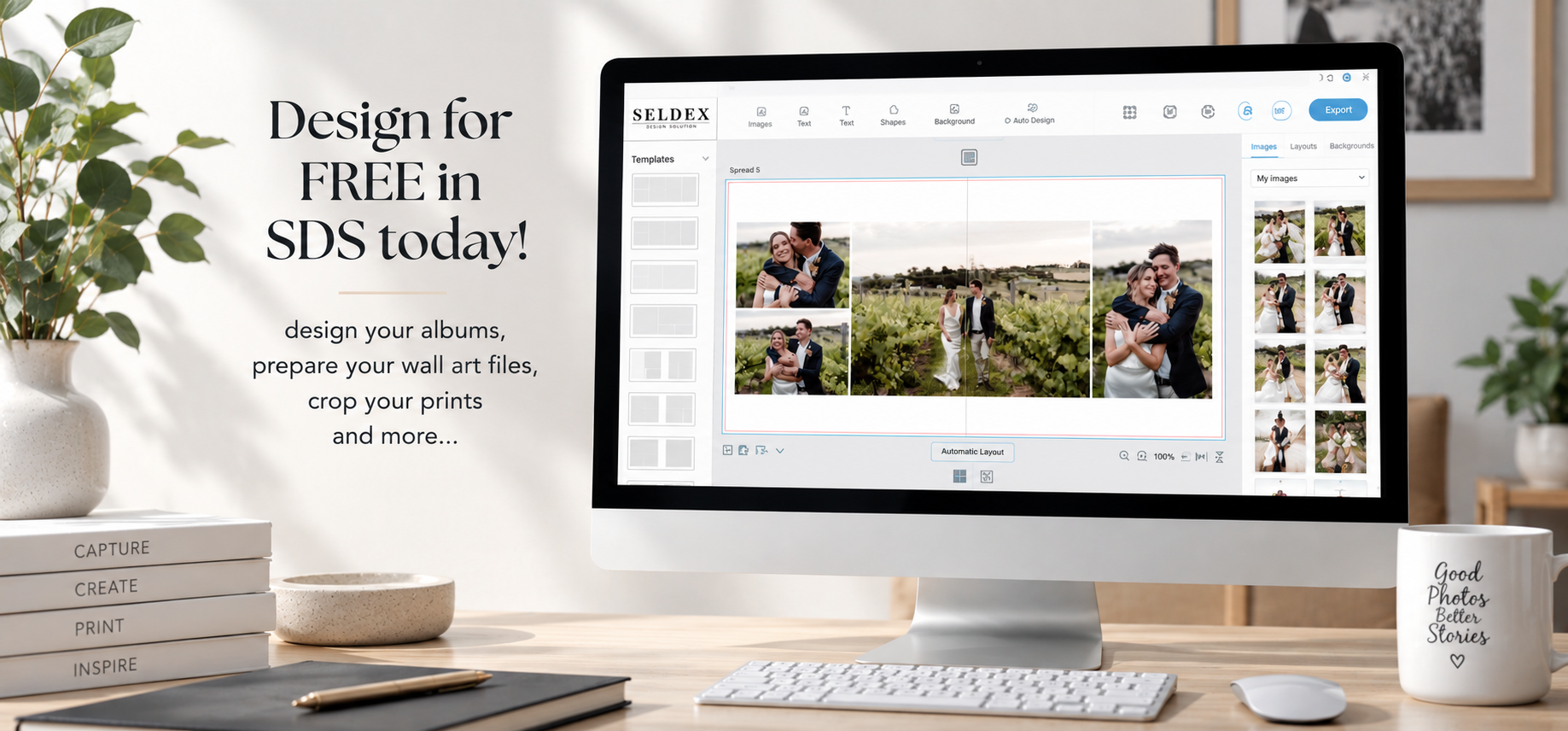
Meet SDS – a simpler way to design and prepare your Seldex products.
SDS is our FREE design software, created to make designing faster, easier and more enjoyable. From beautiful album layouts to perfectly prepared wall art, photo mounts and prints, SDS takes the guesswork out of file preparation and helps you create professional,
print-ready files in just a few easy steps.
Simple and intuitive, yet packed with powerful features, SDS gives you the creative control you need without the complicated learning curve.
Design. Create. Export. It’s that simple.
Explore the range of products you can create in SDS
- Albums - Lifestyle Books, Boutique Books, Portrait Books, Journals, Guest Books and Lite Books
Create beautiful album layouts in minutes with SDS. Choose from professionally designed templates to get started quickly, or take complete creative control and customise every spread to suit your style. Easily drag and drop images, rearrange layouts, and fine-tune your design until it's just right.
Once your album is ready, share it with your clients using an online proof or PDF proof, making it easy for them to review the design, leave feedback and approve their album from anywhere. It's a simple, seamless way to collaborate with your clients and bring their story to life.
- Wall Art - Montage Frames, Canvas, Framed Canvas & Arch Frames
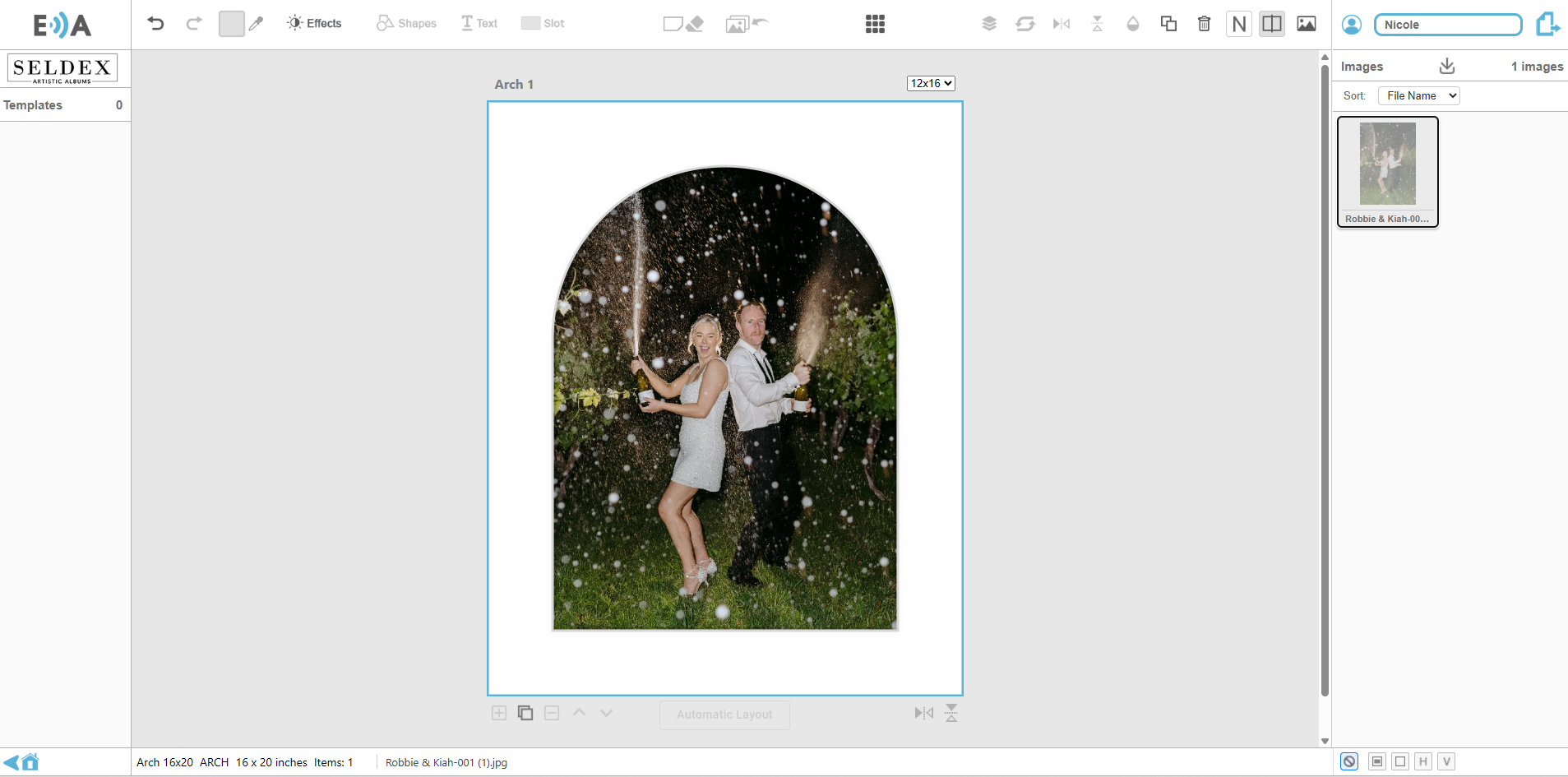
We're so excited to now have our Wall Art range available in SDS, including our popular Montages, Arch Prints and Canvas templates. Simply drag and drop your images into the template and SDS will do the rest.
SDS clearly shows which areas of your image will be visible on the final product, what will wrap around the edge of a canvas, and what will sit beneath a mat on arch and framed prints. This means you can crop with confidence and know exactly what your clients will receive.
Best of all, SDS automatically exports your files at the correct size, crop and resolution, making it quicker and easier than ever to prepare your wall art for production.
A quick note: Frame mouldings are not currently available within SDS, but we're always looking at ways to improve the platform and expand its features in the future.
- Prints & Hipster Packs
Forget the guesswork! Cropping images in Photoshop or Lightroom can be time-consuming, and getting the size, crop and resolution just right isn't always easy, but it is very important. With SDS, we've done the hard work for you. Simply select your print product and SDS will create a work space that is sized correctly.
Need to give your images a little extra personality? Add one of our custom borders, including classic 6mm white or black borders, or choose from our distressed, grunge and vintage styles to create a unique finished look. It's the quickest and easiest way to prepare professional, print-ready files your clients will love.
- Frame Mounts
We've added our Photo Mounts to SDS to take the guesswork out of cropping. Simply drop your image into the template and SDS will show you exactly which part of your image will be visible once it's mounted, helping you compose your photographs with confidence.
No more worrying about hidden edges or incorrect crops. SDS automatically prepares your files at the correct size and resolution, ensuring they're perfectly ready for production. It's a quick and easy way to create beautiful mounted prints while knowing exactly how the finished product will look.
Ready to start designing in SDS?
Getting started with SDS is easy - and completely FREE.
If it’s your first time using SDS, simply click below to create your account and get started.
⚠️ Important: Safari has known issues with drag-and-drop and some other features of the app. Until these issues are resolved by Apple, please use Chrome, Firefox, or Edge for the best experience.
Once you've registered, accessing SDS is easy. Simply click the computer icon in the top header of the Seldex website whenever you'd like to design.
No software to download - simply log in and start designing.
How to order products designed in SDS
We recommend watching the short videos below before creating your first product. They only take a few minutes and will show you just how easy it is to design, prepare and export your files using SDS.
IMPORTANT: SDS IS A DESIGN TOOL — ORDERS ARE STILL PLACED THROUGH THE SELDEX WEBSITE.
Once you've finished designing in SDS, there are just a few simple steps to send your order to Seldex:
1. DESIGN IN SDS
Create your album, wall art, photo mounts or prints in SDS and make sure you're happy with your finished design.
2. PLACE YOUR ORDER ON THE SELDEX WEBSITE
Head to the Seldex website and place your order as you normally would. When asked “How will you be submitting your files?”, select “Export from SDS”.
3. RECEIVE YOUR SELDEX ORDER NUMBER
Once your online order has been submitted, you'll receive a Seldex Order Number.
4. RETURN TO SDS & EXPORT YOUR FILES
Go back to SDS and export your finished design files. When prompted, enter your Seldex Order Number.
5. WE'LL TAKE IT FROM THERE!
Your exported SDS files will be matched to your online order using your Seldex Order Number and sent through for production.
Design in SDS → Place your order on the Seldex website → Enter your Order Number in SDS → Export your files → Done!
New to SDS? Watch our quick start videos
We’ve created a series of short videos to guide you through SDS, from creating your account and designing your first product to sharing album proofs and exporting your finished files for production.
Start with “Your SDS Journey Starts Here!” and we’ll walk you through everything you need to know.
- Your SDS journey starts here!
Watch the video below and learn how to create your SDS account and log in for the first time.
- Create Your 1st Product
Explore the SDS dashboard and see just how easy it is to create your first product.
- Import and organise
Discover how to import, sort and filter your images before you start designing.
- Design Your Album Automatically
Learn how to use Auto Design to create a professionally designed album instantly.
- Master Manual Design
Discover the tools and techniques to create stunning custom album layouts.
- Meet the Spread Manager
Learn how to organise, manage and rearrange your album spreads with ease.
- Share Your Album for Review
Learn how to export an online proof or PDF proof so your clients can review and approve their album design.
- Export for Print & Production
IMPORTANT – PLACE YOUR SELDEX ORDER BEFORE EXPORTING
Before exporting your finished files from SDS, you must first place your order through the Seldex website.
During checkout, select “Export from SDS” when asked how you'll be submitting your files. Once your order has been placed, you'll receive your Seldex Order Number.
Return to SDS, select Export, and enter this Order Number when prompted. This allows us to automatically match your SDS files with your Seldex order and move everything smoothly into production.
Need a hand?
⚠️ Important: Safari has known issues with drag-and-drop and some other features of the app. Until these issues are resolved by Apple, please use Chrome, Firefox, or Edge for the best experience.
New to SDS or have a question? Our team is here to help.
Call us on +61 3 9387 1530 or email info@seldex.com.au and we'll be happy to help.